

Get the printable cybersecurity checklist
Give your team a clear set of everyday security rules. Includes spaces for your company name, approved password manager and reporting contact.
Open printable checklistOpens in a new tab. Use Print to print a copy or save as PDF.
A convincing fake invoice, an unexpected attachment or a rushed password request can put a small business at risk. Give staff clear rules they can follow—not just a reminder to “be careful.” This staff cybersecurity checklist is a starting point for businesses in Wyomissing, Berks County and beyond.
Malware is harmful software. Spam is unwanted bulk messaging; not every spam message is malicious. Phishing is a trick designed to steal information or get someone to take an unsafe action. It can arrive by email, text, chat, QR code or phone.
CISA recommends employee phishing training, strong passwords, multifactor authentication and software updates as four business security essentials.[1] The checklist below turns that guidance into everyday workplace rules.
Use this as a policy template—not a security guarantee
Before sharing it, have your manager or IT provider fill in the approved tools, reporting contact and escalation steps. Adapt it to your business, devices and legal obligations. A checklist does not replace technical protection or a complete incident-response plan.
Staff checklist: everyday rules for safer work
The phishing, update, password and MFA practices above follow CISA’s business guidance.[1] The browser-password restriction is PC Ninja’s recommended workplace policy, not a claim that CISA bans browser password managers.
Why require a company-approved password manager?
Browser password saving is convenient, but malware or unauthorized access to a device, browser profile or synced account can expose saved credentials. A business-managed password manager can give the company control over access, approved sharing and removing access when someone leaves. The exact controls depend on the product and plan.
Browser password managers are not inherently unsafe, and dedicated password managers are not immune to malware. The goal is consistent company control—not a promise that one tool prevents every theft. CISA recommends providing a company-wide password manager and using strong, unique passwords with MFA.[2]
If work passwords are already saved in a browser, ask IT to help move them to the approved manager, verify access, then remove the browser copies and disable work-password saving and personal sync where appropriate. Do not export passwords to an unprotected file or delete the only usable copy first. Tell IT, your manager or your supervisor immediately if exposure is suspected.
What should staff do if they clicked?
Stop, report and follow the response plan
- Stop interacting. Do not enter more information, approve prompts or try another download.
- Contact IT, your manager or your supervisor immediately through a trusted method. Use a known number or another trusted device if the computer may be compromised. Say what happened, when, and whether you entered credentials or opened a file.
- If malware or ransomware is suspected, disconnect the device from the network. Turn off Wi-Fi and unplug the network cable if safe and consistent with your response plan. Do not reconnect until IT says to.[3]
- Preserve evidence. Do not delete the message, run random cleanup tools, restart or shut down unless IT directs you. For safety-critical equipment, follow the business’s established procedures.
- If credentials were entered, tell IT, your manager or your supervisor explicitly. IT may need to reset passwords from a trusted device, revoke existing sessions and review account access. Changing a password alone may not end an attacker’s session.
Management should encourage immediate, blame-free reporting. These first steps are not a substitute for professional incident handling.
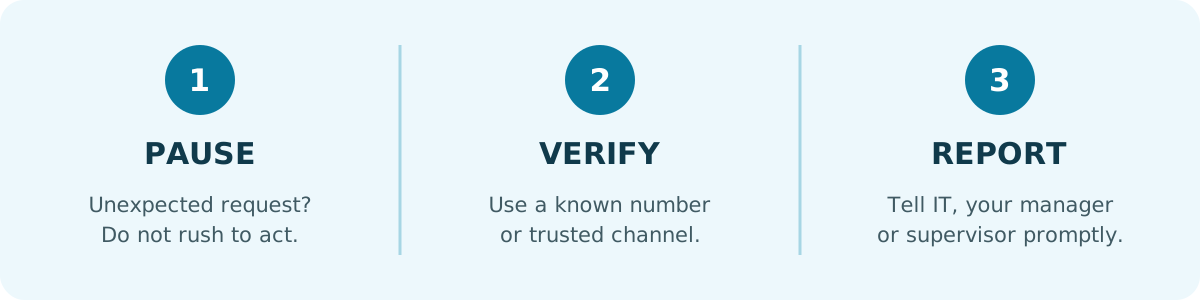
Owner and manager checklist: make the rules workable
CISA’s ransomware guide covers protected backups, access restrictions, incident planning and recovery testing.[3] Employees should know how to report a problem; management and IT remain responsible for configuring protection and coordinating the response.
Give your team a one-page checklist
Open the printable staff cybersecurity checklist. Print it or save it as a PDF from your browser. It includes spaces for the company name, reporting contact, approved password manager and review date. Fill these in before distributing it and discuss what the rules mean for your team.
Need help putting the policy into practice? See our business cybersecurity services or contact PC Ninja in Wyomissing. For related reading, see our 3-2-1 backup guide and computer virus-prevention tips.
Sources and scope
Sources checked November 4, 2026. The wording here is PC Ninja’s practical adaptation; it is not an official government policy or an endorsement.
- [1] CISA. Four Cybersecurity Essentials for Businesses. Supports staff phishing training, independent verification, passwords, MFA and software updates.
- [2] CISA. Require Strong Passwords. Supports strong, unique passwords, company-wide password managers and MFA—not a blanket ban on browser managers.
- [3] CISA and partner agencies. #StopRansomware Guide. Supports preparation, protected backups, access controls and isolating affected systems. Written mainly for organizations and IT responders; staff should follow their own response plan.