

Both can be good computers. The right one runs the programs you need, fits your budget, and feels easy to use.
Here, PC means a Windows computer, and Mac means an Apple computer. You do not need to learn all the technical details to choose between them.
The quick answer
- Start with a PC if you want to shop around on price, play computer games, or need Windows for school or work.
- Consider a Mac if you like Apple devices and the programs you need work on it.
- Not sure? Try both. Choose the one that feels comfortable and does what you need.
These are our buying tips, not rules. Our home computer buying guide can help you narrow things down.
PC: the good and the bad
The good
- Shop around for a size and price that suit you.
- Usually our first choice for computer games. Check each game before buying. [13]
- A straightforward choice when school or work requires Windows.
Watch out for
- The cheapest option may not have the screen, speed, or quality you want.
- Some PCs cannot run every program, game, or older printer. Check your must-haves. [4]
- Do not assume you can replace parts later. Ask before buying.
Mac: the good and the bad
The good
Watch out for
Four things to check before buying
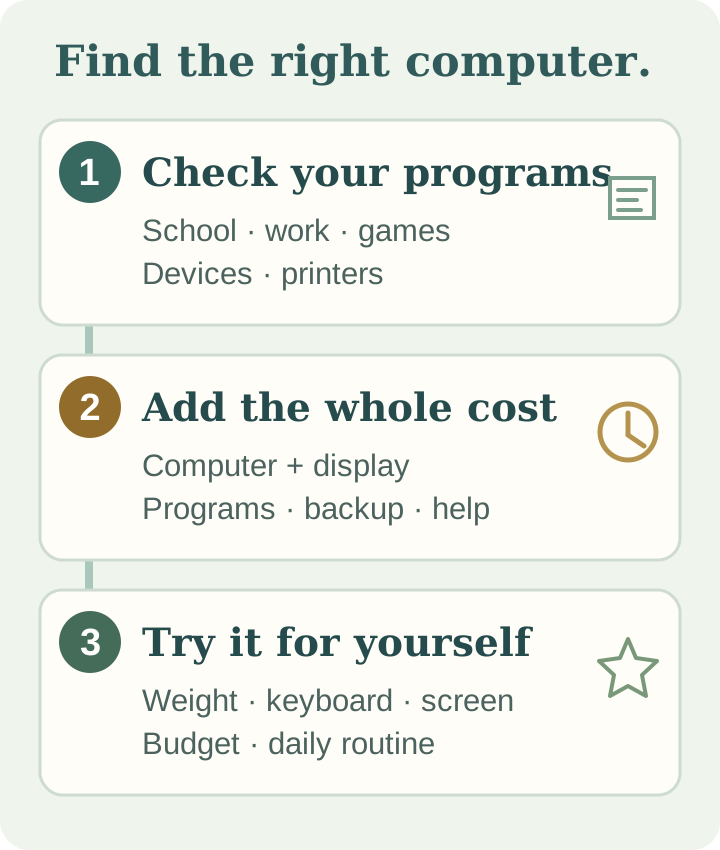
- Your programs and devices. Ask whether your school apps, work programs, games, and printer work with the computer you want.
- Memory and storage. Memory helps with running several programs at once. Storage is room for photos, files, and programs. We suggest 16GB of memory and 512GB of storage as a starting point—not a rule. Basic use may need less; heavier work may need more.
- Everyday comfort. Try the keyboard, screen, and menus. If you carry it around, check the weight and real-world battery reviews.
- Updates and help. Check the warranty and whether it still gets safety updates, especially when buying used. Regular Windows 10 support ended October 14, 2025; extra security coverage is available only under separate terms. [9]
Need more guidance? See our home computer buying guide or small-business buying guide.
What should you expect to spend?
PC budgets: these are our rough U.S. shopping estimates, not store offers or PC Ninja service prices.
On phones, each row is shown as a labeled comparison.
| What you need | Rough budget |
|---|---|
Web, email, and basic tasks | $400–$700 |
Everyday school or work | $700–$1,200 |
Games or demanding work | $1,200 and up |
Mac prices: Apple’s U.S. starting prices below were checked October 9, 2026. They are before tax and upgrades and can change. [1]
On phones, each row is shown as a labeled comparison.
| Mac | Starting price |
|---|---|
MacBook Neo | $699 |
MacBook Air | $1,299 |
MacBook Pro | $1,999 |
Mac mini | $899 |
iMac | $1,499 |
Compare the whole bill. Add paid programs, backup, and setup help. For a Mac mini, budget for any screen, keyboard, and mouse you need.
Can either one get viruses or scams?
Yes. Neither is risk-free. Both have built-in safety features, but scams and harmful downloads are still a risk. [10] [11] [12]
Keep it updated, use strong passwords, turn on a second sign-in check when offered, and back up important files. See our simple backup guide.
A few common questions
Do I need a Mac if I have an iPhone?
No. Windows can use iCloud too, although the sharing features are not all the same. [6] [7]
Can I run Windows on a Mac?
Sometimes, but the options depend on the Mac. Newer models may need extra paid software, and not every program or game will work. [2] [3] If you must have Windows, we usually recommend buying a Windows PC.
Does adding a drive make the computer faster?
An extra drive mainly gives you more room for files. It does not add memory for running programs.
Still unsure?
Tell us what you use your computer for and what you want to spend. Ask PC Ninja for help or explore our home computer services.
Sources
The numbered links above point to these references, checked October 9, 2026.
- [1] Apple. Mac models and prices. Accessed October 9, 2026.
- [2] Apple. Windows on older Macs. Accessed October 9, 2026.
- [3] Microsoft. Windows on newer Macs. Accessed October 9, 2026.
- [4] Microsoft. Why some PCs need extra software checks. Accessed October 9, 2026.
- [5] Apple. Mac mini memory upgrades. Accessed October 9, 2026.
- [6] Apple. Sharing between Apple devices. Accessed October 9, 2026.
- [7] Apple. iCloud on Windows. Accessed October 9, 2026.
- [8] Apple. Mac Pro storage upgrades. Accessed October 9, 2026.
- [9] Microsoft. Windows 10 update coverage. Accessed October 9, 2026.
- [10] Apple. Mac safety features. Accessed October 9, 2026.
- [11] Apple. Avoiding scams. Accessed October 9, 2026.
- [12] Microsoft. Windows safety features. Accessed October 9, 2026.
- [13] Valve (Steam). Games available for Windows / games for Mac. Accessed October 9, 2026.
Prices and advice from manufacturers can change. Our budget estimates and buying tips are PC Ninja’s advice, not manufacturer requirements.