Free antivirus can be a useful choice. But before installing it, check what it collects, what features are included, and whether it adds pop-ups or extras you do not want.
Windows already includes Microsoft Defender Antivirus through Windows Security. You do not automatically need another paid antivirus just to have protection. [2]
Paid software is not automatically better, either. Compare the actual product and the help included—not just its price.
Quick takeaway: Check your current protection before adding another product. Choose based on privacy, useful features, performance, and support—not the assumption that free is bad or paid is foolproof.
1
Check the Privacy Policy
Check what information the product collects, why it needs it, and whether it shares that information. These questions matter for both free and paid software.
One specific historical example is Avast. In June 2024, the FTC finalized an order banning it from selling or licensing web-browsing data for advertising, settling charges about earlier data collection and sales through its subsidiary Jumpshot. The order also required a $16.5 million payment. [1]
That case is not proof that every free antivirus sells your data, or that Avast is still engaging in the conduct covered by the order. Read the current policy for the product you are considering.
Keeping your data safe means more than just having a backup; it means knowing who has access to it.
2
Watch for Extras and Pop-Ups
Check whether the installer offers unrelated browser extensions, search changes, or cleanup tools. Decline extras you do not need.
Some products show upgrade advertisements or offer extra features for payment. An advertisement is not the same thing as a confirmed infection. Read the message before buying anything.
Security scans can temporarily use computer resources with either free or paid software. If the computer becomes persistently slow, check what is running rather than assuming the price of the antivirus caused it.
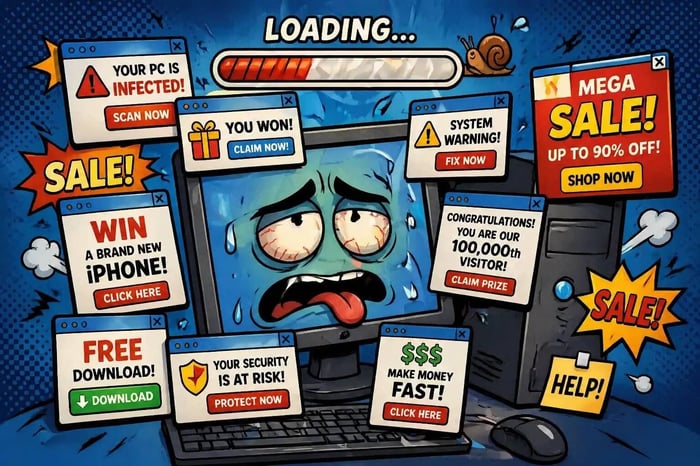
Illustration of unwanted pop-ups. Advertising and performance vary by product.
3
Compare the Actual Protection
Check whether protection stays active in the background, receives updates, and covers the devices you use. Do not assume every free tool is only a manual scanner.
Microsoft’s built-in protection includes real-time and cloud-delivered protection settings as well as scans. This is one reason the claim that all free protection is purely “reactive” is misleading. [2]
Businesses may also need staff training, account controls, monitoring, and a response plan. Learn about our commercial IT services for Berks County businesses. A paid subscription alone does not guarantee that customer information is safe.
No security product guarantees that every threat will be blocked.
4
Find Out What Support Is Included
Support varies by product and plan. Check whether help is limited to online articles, or includes a person you can contact. Also check the hours, cost, and what they will actually troubleshoot.
PC Ninja offers hands-on help through our residential computer repair services. Ask which support and security services are included in the option you choose.
If files are being locked or you suspect an active attack, disconnect the device from the network and contact your IT provider promptly. Keep backup drives disconnected and do not start restoring files onto a system that may still be infected. [4]
5
Use More Than Antivirus
A home computer and a business handling customer records may need different levels of support. Start with what you use the computer for and what would happen if you lost access to it.
Antivirus is only one part of staying safer. CISA recommends recognizing scam messages, using strong passwords, adding a second sign-in check, and keeping software updated. [3]
Use a simple plan:
Check Your Protection: Confirm your security app is active and updated before changing products.
Stay Updated: Install recommended security updates for your system, browser, and apps.
Updates, account protection, safer habits, and tested backups work alongside antivirus.
The PC Ninja Verdict
Free protection may be enough for some home users. Paid features or professional help can be worthwhile when they solve a need you actually have. Check the details rather than choosing by price alone.
PC Ninja can help you review your current protection and explain the options in ordinary words. Our recommendations are service advice, not a promise that a product will stop every threat.
If you are unsure about a warning, repeated pop-ups, or your current setup, ask before paying for another product.
Need help choosing?Contact us today for a plain-language review of your computer’s protection.
Sources
Sources checked October 9, 2026. The FTC example is a specific historical case, not a claim about every free product.