7 Small Business IT Support Mistakes to Avoid | PC Ninja

7 Mistakes You’re Making With Your Small Business IT Support (And How to Fix Them)

Avoid the common IT support mistakes that hold small businesses back and learn how to build a more reliable, secure technology foundation.

Melvin Foo

By Melvin Foo

Back to Articles
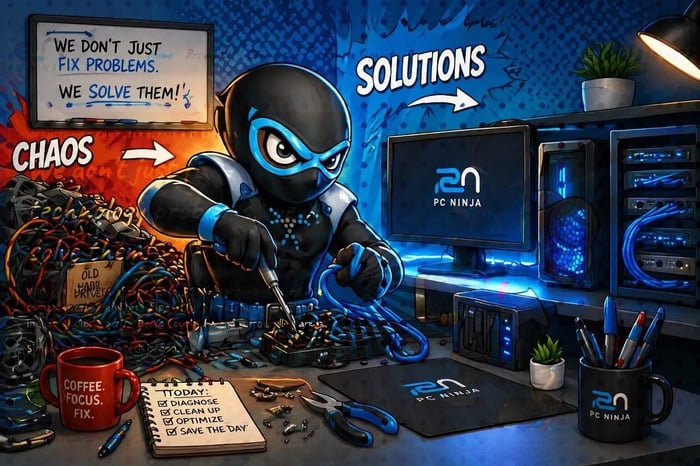
A ninja helping with small business IT support

Running a small business in Berks County takes speed, flexibility, and reliable technology. Even the best ninjas can get tripped up by a hidden trap: bad IT support.

At PC Ninja, we’ve spent over 25 years helping local business owners navigate the digital shadows. We’ve seen everything from servers held together with duct tape to "security systems" that were just a sticky note with a password on it.

Quick takeaway

Reliable IT support is proactive, secure, and easy to understand. The seven sections below show where small businesses commonly get stuck and the practical fix for each mistake.

1

The "Break-Fix" Trap: Waiting for Disaster

Most small businesses operate on a "if it ain't broke, don't fix it" mentality. This is known as the "Break-Fix" model. You wait until a computer won't turn on or the Wi-Fi dies, and then you scramble to find someone to help.

The Problem

By the time something breaks, you’re already losing money. Every hour your team sits idle while a server is down is an hour of lost productivity. Plus, emergency repairs are always more expensive than routine maintenance.

The Fix

Switch to a proactive approach. Our managed IT services in Reading, PA act like a 24/7 sentry for your business. We monitor your systems in the background, catching glitches before they turn into full-blown "everything-is-on-fire" disasters. It’s about keeping the gears turning so you never have to pull the emergency brake.

2

Neglecting the "3-2-1" Rule for Backups

"I have my files on a thumb drive," is a phrase that makes our inner ninjas cringe. Relying on a single backup: or worse, no backup at all: is a recipe for a disappearing act you didn't ask for.

Digital folders moving between laptop, hard drive, and cloud

The Problem

Hardware fails. Ransomware happens. Even a spilled coffee at a desk in Kutztown can wipe out years of invoices. If your data only exists in one place, it’s not a matter of if you’ll lose it, but when.

The Fix

Implement the 3-2-1 rule. You should have 3 copies of your data, stored on 2 different types of media (like a local drive and a server), with 1 copy stored offsite (the cloud). We specialize in secure data backup solutions that automate this process. We do the heavy lifting so you can sleep soundly knowing your business's memory is safe.

3

Holding onto "Zombie" Computers

We get it: new hardware is an investment. But keeping that 8-year-old laptop alive because it "still works okay" is actually costing you more than a replacement would.

The Problem

Old computers are slow, frustrating for your employees, and: most importantly: insecure. For example, did you know Windows 10 is approaching its end of life? Using outdated operating systems is like leaving your front door unlocked in the middle of the night.

The Fix

Audit your hardware. A good rule of thumb is to refresh workstations every 4 to 5 years. If you’re worried about the transition, check out our guide on Windows 10 End of Life to see how you can upgrade without the drama. We help you pick the right tools for your specific needs, focusing on engineering-backed solutions that actually last.

4

Treating Security Like a "Set It and Forget It" Task

Many business owners think that because they installed an antivirus program three years ago, they’re "covered." Unfortunately, cyber threats evolve faster than a ninja’s reflexes.

Malware alert with a red skull and shield icon

The Problem

Phishing scams, malware, and credential theft are becoming incredibly sophisticated. Simple antivirus isn't enough to stop a targeted attack. If you aren't regularly updating your security protocols and training your staff, you’re a sitting duck.

The Fix

Security needs to be layers deep. This includes Multi-Factor Authentication (MFA), regular software patching, and phishing awareness training. We don't just "install software"; we build a fortress around your data, tailored to the unique needs of a local Reading business.

5

Relying on the "Accidental Techie"

Every office has one: the person who is "good with computers" so they end up being the de-facto IT manager. Maybe it’s your office manager or a tech-savvy sales rep.

The Problem

While their intentions are great, they have a day job to do. Every minute they spend troubleshooting a printer is a minute they aren't doing what you hired them for. Plus, without professional training, they might accidentally create bigger security holes or implement "band-aid" fixes that fail later.

The Fix

Let your team do what they do best and leave the tech to the experts. Professional small business IT support in Berks County gives you access to 25+ years of experience for a fraction of the cost of a full-time IT hire. We act as your off-site IT department, ready to jump in whenever you need us.

6

Ignoring the "Shop Local" Advantage

In the world of IT, you have plenty of choices: from massive national call centers to local shops. Many businesses make the mistake of going with a big-box provider because they think bigger is better.

Shop Local Support Small Business speech bubble

The Problem

Big providers see you as a number. When your network goes down on a Tuesday morning, you don’t want to wait in a phone queue for forty minutes talking to someone in a different time zone who doesn't know your business from a hole in the wall.

The Fix

Support small, local businesses: just like your customers support you! When you work with PC Ninja, you're working with neighbors who understand the Berks County business landscape. We provide personalized, honest service. We can be on-site quickly if needed, and we actually care about your success because we live in the same community.

7

Letting Tech Jargon Cloud Your Vision

Does your current IT person talk in "alphabet soup"? If you’re hearing terms like "VOIP latency on the GUI via the TCP/IP handshake" and your eyes are glazing over, there's a problem.

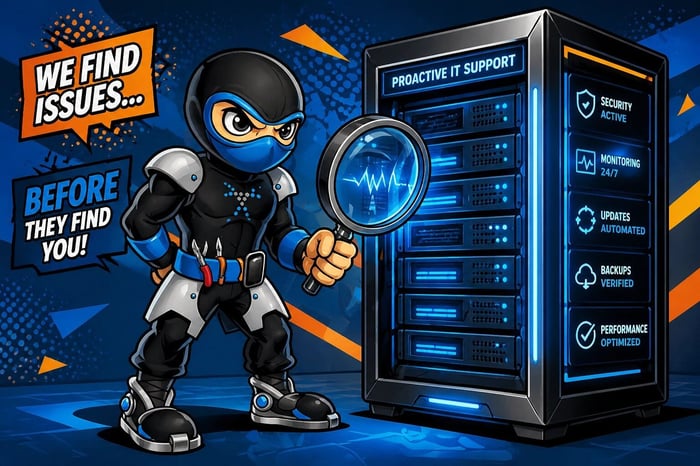
Ninja inspecting a server rack with a magnifying glass

The Problem

Some IT providers use jargon to sound smarter or to hide the fact that they're overcharging you for simple tasks. If you don't understand what you're paying for, you can't make informed decisions for your business.

The Fix

Demand simple solutions. At PC Ninja, our mission is to provide jargon-free assistance. We explain what’s wrong, why it needs to be fixed, and how we’re going to do it: in plain English. We believe that technology should be transparent, not a mystery. Our engineering and business background allows us to translate complex tech into real-world business value.

Ready to Level Up Your IT?

Your technology should be the wind beneath your wings, not the weight around your ankles. If you've recognized any of these mistakes in your own business, don't sweat it: every great ninja started as a student.

Whether you need a full office computer setup or just a more reliable way to back up your files, we’re here to help. We’ve been serving Reading, PA, and the surrounding Berks County area for over two decades with fast, reliable, and honest support.

Don’t let tech troubles hold your business back. Contact PC Ninja today and let’s get your systems running at peak performance. No jargon, no hidden fees: just expert IT support that works as hard as you do.