
01 / USE FILES EVERY DAY
Shared storage
A central place for your team to keep, find, and share current files, instead of leaving them scattered across individual computers. You choose who can access each shared folder.
Data Storage · Berks County, PA
Give your team a shared home for the files they use every day. PC Ninja helps businesses choose and set up storage that fits how they work.
An important distinction
Shared storage keeps current team files together; backup keeps separate copies for recovery. They solve different problems and should be planned separately.
A central place for your team to keep, find, and share current files, instead of leaving them scattered across individual computers. You choose who can access each shared folder.
Separate copies help you recover when files are deleted, changed, or unavailable. Backup needs its own plan and setup; buying a storage device alone doesn't put one in place.
Explore data backupThe device that stores your files
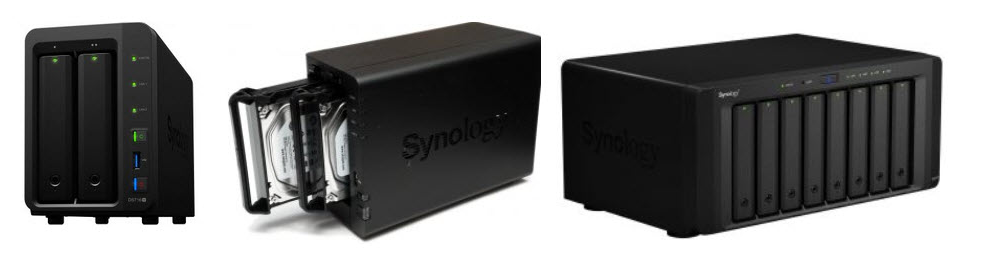
A Synology device connects to your office network and gives your team a central place to store and share files. This is called network-attached storage (NAS).
The devices pictured here hold the drives that store your files. PC Ninja helps you choose a suitable model, set up shared folders, and manage who can access them.

Examples of Synology shared storage devices
Set up shared folders and access by user or group, so your team can work from one organized place.
Discuss secure remote access when your team needs to reach files away from the office.
Synology offers different device sizes, from compact desktop units to larger systems. We can help choose a fit for your needs.
The exact hardware, access settings, and any backup arrangement are determined for your business, not assumed from the device.
Let's make a plan
Tell us where your files live and how your team shares them today. We'll discuss shared storage and a separate backup plan before recommending a setup.