Why Your Internet Speed Is Slower Than Your Plan | PC Ninja

Is Your Router Lying to You? Why Your Internet Speed Isn't What You Pay For

Understand why your internet speed falls short of the number on your plan and how to fix the hidden causes.

Melvin Foo

By Melvin Foo

Back to Articles
Illustration of a wireless router and Wi-Fi signal

Quick takeaway: Your plan speed is only one part of the experience. Congestion, router limits, Wi-Fi interference, and the way you test can all make a fast connection feel slow.

You just signed up for the "Super-Sonic-Mega-Blaster" internet plan. You’re paying for 1,000 Mbps and expecting smooth 4K streaming, lag-free gaming, and fast downloads.

Then a simple YouTube video buffers. You check your speed, and it feels more like 1996 dial-up than 2026 fiber.

So what is going on? The cause may be your ISP, your router, Wi-Fi interference, or the way you measured the connection.

At PC Ninja, we hear this story every day from homeowners and business owners in Berks County. Your advertised speed is a target under specific conditions, not a promise that every device will reach it at every moment.

The sections below explain the most common causes and show you how to find the missing megabits.

The "Up To" Trap: An ISP’s Favorite Magic Trick

When you sign up for an internet plan, take a look at the fine print. You’ll see two very important words: "Up to."

Internet Service Providers (ISPs) are masters of marketing. When they promise you 500 Mbps, they aren't promising you that speed all the time. They are promising you that speed under laboratory-perfect conditions, using a wired connection, at 3:00 AM on a Tuesday when nobody else in your neighborhood is awake.

In the real world, your internet is shared. If you’re on a cable connection, you’re sharing a "pipe" with your neighbors. During "peak hours" (usually 6:00 PM to 11:00 PM when everyone in Reading is binging the latest Netflix hit), the network gets congested. It’s like a traffic jam on the 422, there’s only so much room on the road, and everyone is trying to get home at the same time.

Hardware Horrors: Is Your Router a Relic?

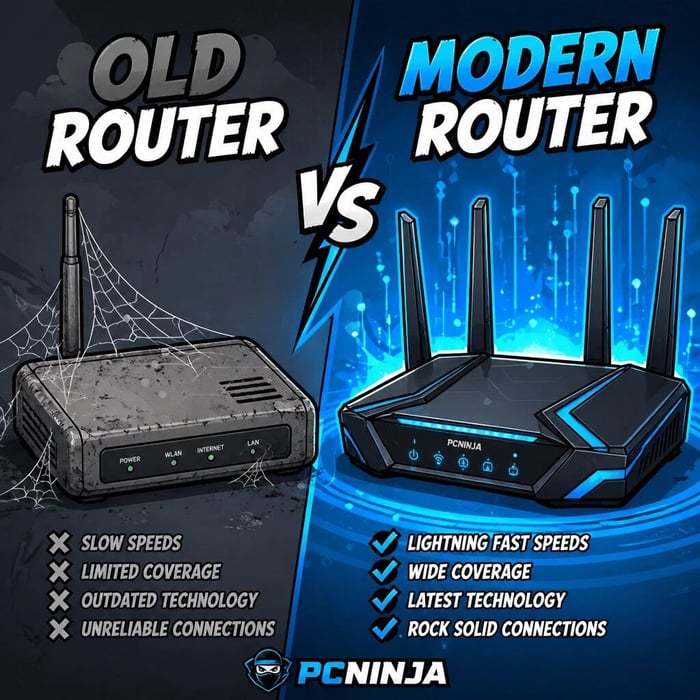
Comparison of an outdated WiFi router and a modern wireless router

If you’re still using the router your ISP gave you back when Obama was in office, we’ve found your problem.

Technology moves fast. A router that was top-of-the-line five years ago is essentially a digital paperweight today. Newer internet speeds require newer standards (like WiFi 6 or WiFi 6E). If your router doesn't support these standards, it will act as a bottleneck. It doesn't matter if you have a 1 Gbps connection coming into the house; if your router can only pump out 100 Mbps, that’s all you’re ever going to get.

At PC Ninja, we often find that customers are paying for high-speed plans but using hardware that simply can’t keep up. It’s like putting a lawnmower engine in a Ferrari, it might look cool sitting in the driveway, but it’s not going to win any races.

The "All-in-One" Blunder

Many ISPs provide a "gateway," which is a modem and a router in one box. While convenient, these are often the "jack of all trades, master of none." They usually have weak antennas and limited range. For most residential homes in Berks County, especially those with thick plaster walls or multiple floors, these ISP-provided boxes just don’t cut it.

WiFi’s Secret Enemies: The Invisible Obstacle Course

Household obstacles and devices that can interfere with a WiFi signal

WiFi is a wonderful thing, but it’s also incredibly fragile. It uses radio waves to transmit data, and those waves have to fight through a lot of interference to reach your device.

1

Walls and Furniture

Every wall, floor, and door between you and your router saps a bit of your speed. Brick, concrete, and stone are the ultimate WiFi killers. If your router is in the basement and you’re trying to Zoom from the attic, you’re asking for a miracle.

2

The Microwave Menace

Did you know your microwave operates on the same frequency as many older WiFi routers (2.4GHz)? If you notice your internet cuts out every time you pop some popcorn, you’ve got a frequency clash. Baby monitors, cordless phones, and even Bluetooth speakers can all play "spoiler" to your WiFi signal.

3

The Neighborhood Noise

If you live in a crowded area like downtown Reading or Wyomissing, your WiFi is fighting with dozens of other signals from your neighbors. Think of it like trying to have a conversation in a loud restaurant, it’s hard to hear the person across from you when everyone else is shouting.

The Speed Test Mirage: Why Your ISP is "Lying"

When you call your ISP to complain about slow speeds, the first thing they’ll tell you to do is run a speed test on their website. And magically, the test shows you’re getting exactly what you pay for!

Here’s the secret: ISP speed tests often measure the speed between their office and your modem, not the speed reaching your actual device. They are testing the "pipe" to your house, not the actual performance of your WiFi.

To get a real-world reading, you need to use independent tests like Speedtest.net or Fast.com, and more importantly, you need to test it in the rooms where you actually use your devices. If the speed is great in the living room but non-existent in the home office, you don’t have an internet problem, you have a network coverage problem.

Why You Need a PC Ninja Network Audit

You wouldn't try to fix a leaky pipe with duct tape and a prayer (well, maybe you would, but it wouldn't end well). So why settle for "good enough" internet?

Most people try to fix slow WiFi by buying a cheap "extender" from a big-box store. Spoiler alert: These often make the problem worse by creating more interference and halving your bandwidth.

At PC Ninja, we do things differently. With over 25 years of experience, we don’t just guess where the signal is going: we map it out. Our network audit includes:

  • Signal Mapping: We find the dead zones in your home or office.
  • Interference Detection: We identify which appliances or neighbors are stepping on your signal.
  • Hardware Inspection: We check if your modem and router are actually capable of the speeds you’re paying for.
  • Jargon-Free Solutions: We won't bore you with talk of "802.11ax protocols." We’ll just tell you how to get your Netflix back in 4K.

Whether you are a small business owner needing reliable connectivity for your team or a homeowner tired of the "spinning wheel," we provide honest, personalized service that actually works.

Stop Paying for Speed You Aren't Getting

If your router has been telling you lies, it’s time for a polygraph test: or better yet, a visit from the ninjas. Don't let your ISP keep taking your money for "Super-Sonic" speeds that feel more like a turtle on a treadmill.

Ready to finally get the internet speed you deserve? Contact PC Ninja today. We’ll kick those dead zones to the curb and make sure your network is fast, secure, and reliable.

No jargon. No nonsense. Just fast internet.

Want more tech tips without the headache? Check out our other articles for the latest on cybersecurity, computer repair, and more!